

Canadian ReviewsCanadian Reviews
  • What’s On
  • Reviews
  • Digital World
  • Lifestyle
  • Travel
  • Trending
  • Web Stories
Trending Now
Animal Crossing Gets Its First Serious Competition In Years

Animal Crossing Gets Its First Serious Competition In Years

I Ranked 9 Hungry-Man Frozen Dinners From Worst to Best—and the Winner Won by a Landslide

I Ranked 9 Hungry-Man Frozen Dinners From Worst to Best—and the Winner Won by a Landslide

Virtuoso Data Shows Rising Demand for High-End Travel Despite Higher Rates

Virtuoso Data Shows Rising Demand for High-End Travel Despite Higher Rates

Vicariously hike the Appalachian Trail in the gorgeous A Trail Tale

Vicariously hike the Appalachian Trail in the gorgeous A Trail Tale

29th Aug: Hush & Brush (2026), 3 Seasons [TV-MA] – New Episodes (6/10)

29th Aug: Hush & Brush (2026), 3 Seasons [TV-MA] – New Episodes (6/10)

Video of arson at Toronto MP’s home shows suspect dousing vehicles before fires set

Video of arson at Toronto MP’s home shows suspect dousing vehicles before fires set

Doom Meets Hades In the Coolest New Action Game of Gamescom 2026

Doom Meets Hades In the Coolest New Action Game of Gamescom 2026

Facebook X (Twitter) Instagram
  • Privacy
  • Terms
  • Advertise
  • Contact us
Facebook X (Twitter) Instagram Pinterest Vimeo
Canadian ReviewsCanadian Reviews
  • What’s On
  • Reviews
  • Digital World
  • Lifestyle
  • Travel
  • Trending
  • Web Stories
Newsletter
Canadian ReviewsCanadian Reviews
You are at:Home » How to get a portal pod in Pokémon Pokopia
How to get a portal pod in Pokémon Pokopia
Lifestyle

How to get a portal pod in Pokémon Pokopia

5 August 20263 Mins Read

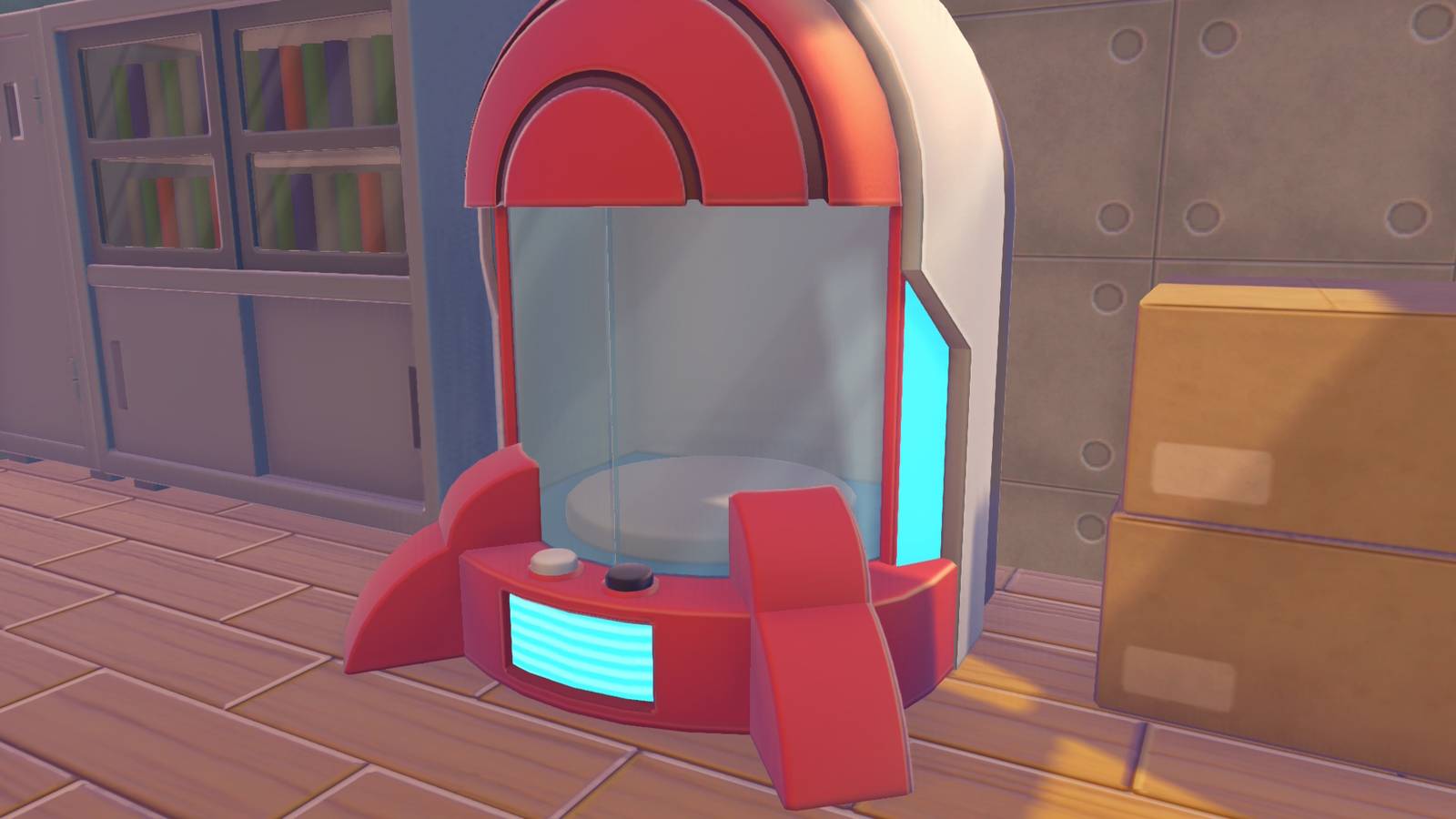
Pokémon Pokopia‘s portal pod is the game’s version of universal storage, though getting one takes a bit of work. You can unlock the portal pod recipe without owning Pokopia‘s Bubbly Basin DLC, though it requires substantial work done in Palette Town. However, owning the DLC gives you access to two portal pods you can just pick up in a house at the edge of town and then replicate using the 3D printer.

Below, we explain how to get portal pods in Pokémon Pokopia and how to use them.


How to get portal pods in Pokémon Pokopia

You unlock the portal pod recipe by raising the Environment Level in Palette Town. We haven’t confirmed the requirement yet ourselves, but it seems you need to reach Environment Level 10. We’re currently at seven and don’t see the Portal Pod recipe listed in the preview of unlocks for the next level. 10 seems like a sure bet, but we’ll update when we know for certain.

Graphic: Julia Lee/Polygon | Source images: Koei Tecmo, Game Freak/Nintendo, The Pokémon Company via Polygon

If you own the Bubbly Basin DLC, find Popplio and head to their town. Once you regain control of Ditto and can explore, head to the spot shown on the map above, a house in the northeastern corner. Inside, you’ll find one portal pod. It’s blocking a staircase, and if you go down that staircase, turn left, open the doors, and turn left again, you’ll find another Portal Pod in a red-and-white Pokéball.

A second Portal Pod in Pokopia Image: Koei Tecmo, Game Freak/Nintendo, The Pokémon Company via Polygon

Once you have a portal pod, you can take a reference shot of it for the 3D printer using the in-game camera. Press the Minus button to open the camera, and then press Y to swap to reference mode. Bring the shot to any rebuilt Pokémon Center, interact with the printer inside, and exchange five rare Pokémetal to make a copy. You can do this as many times as you want, so long as you have enough rare Pokémetal.


How to use portal pods in Pokémon Pokopia

Portal pods let you access anything you put in them by interacting with another portal pod, regardless of where you place the pod. For example, if you stuff all your building materials in a portal pod that you leave in Withered Wasteland, then take another one with you to Bleak Beach, the pod you set down in Bleak Beach will contain all the items from the pod in Withered Wasteland. And the reverse is true too: Any item you put in the Bleak Beach pod will show up in the Wasteland pod.

If you’re starting a build project, it’s worth taking some prep time beforehand to gather all the materials you think you might need and put them in a portal pod. That way, you’re only using a single inventory slot and still have everything for the job.

Just like the other chests in the game, you can place a portal pod down next to a crafting bench and the bench will automatically pull materials from it, which is super handy.

Share. Facebook Twitter Pinterest LinkedIn Reddit WhatsApp Telegram Email

Related Articles

Animal Crossing Gets Its First Serious Competition In Years

Animal Crossing Gets Its First Serious Competition In Years

Lifestyle 29 August 2026
I Ranked 9 Hungry-Man Frozen Dinners From Worst to Best—and the Winner Won by a Landslide

I Ranked 9 Hungry-Man Frozen Dinners From Worst to Best—and the Winner Won by a Landslide

Lifestyle 29 August 2026
29th Aug: Hush & Brush (2026), 3 Seasons [TV-MA] – New Episodes (6/10)

29th Aug: Hush & Brush (2026), 3 Seasons [TV-MA] – New Episodes (6/10)

Lifestyle 29 August 2026
Video of arson at Toronto MP’s home shows suspect dousing vehicles before fires set

Video of arson at Toronto MP’s home shows suspect dousing vehicles before fires set

Lifestyle 29 August 2026
Doom Meets Hades In the Coolest New Action Game of Gamescom 2026

Doom Meets Hades In the Coolest New Action Game of Gamescom 2026

Lifestyle 29 August 2026

IKEA Is Closing Another Store This Weekend, Leaving Just 1 in the Region

Lifestyle 29 August 2026
Top Articles
OANDA Review – Low costs and no deposit requirements

OANDA Review – Low costs and no deposit requirements

28 April 2024387 Views
Flight controllers allegedly punched out early before Air Canada plane crash

Flight controllers allegedly punched out early before Air Canada plane crash

28 August 2026245 Views
Canadians aren’t taking their paid vacation days. Can burnout be far behind? | Canada Voices

Canadians aren’t taking their paid vacation days. Can burnout be far behind? | Canada Voices

2 June 2026222 Views
Four Travel and Hospitality Trends from HITEC 2026

Four Travel and Hospitality Trends from HITEC 2026

3 July 2026180 Views
Demo
Don't Miss
Video of arson at Toronto MP’s home shows suspect dousing vehicles before fires set
Lifestyle 29 August 2026

Video of arson at Toronto MP’s home shows suspect dousing vehicles before fires set

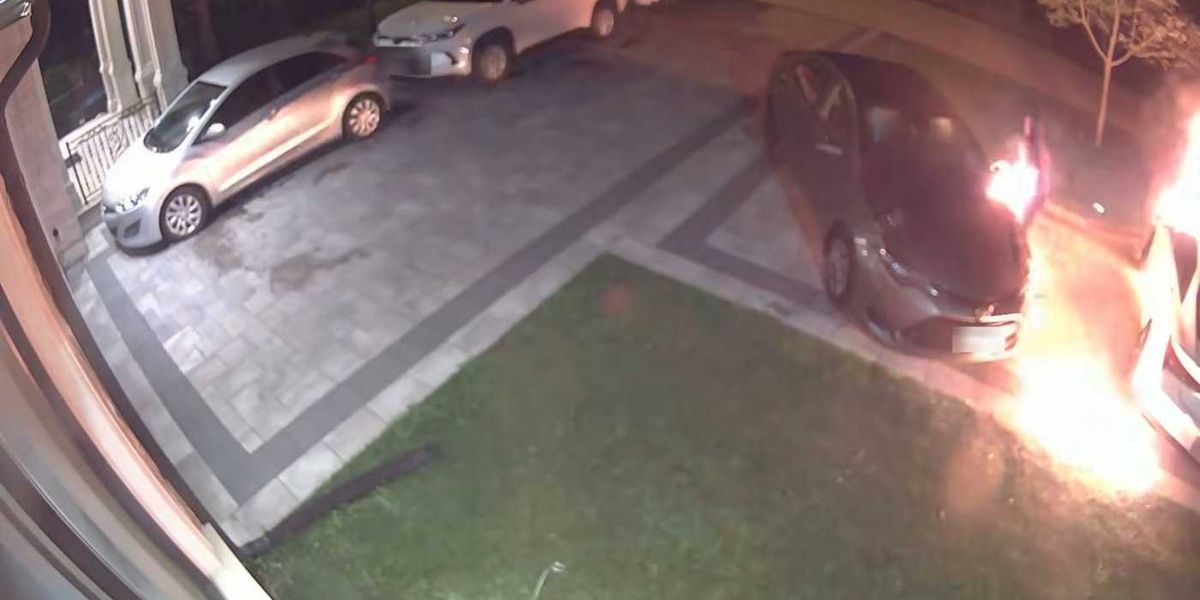
Surveillance video released by police of an arson at a Toronto MP’s home shows a…

Doom Meets Hades In the Coolest New Action Game of Gamescom 2026

Doom Meets Hades In the Coolest New Action Game of Gamescom 2026

Virtuoso Data Shows Rising Demand for High-End Travel Despite Higher Rates :: Hospitality Trends

Virtuoso Data Shows Rising Demand for High-End Travel Despite Higher Rates :: Hospitality Trends

IKEA Is Closing Another Store This Weekend, Leaving Just 1 in the Region

About Us
About Us

Canadian Reviews is your one-stop website for the latest Canadian trends and things to do, follow us now to get the news that matters to you.

Facebook X (Twitter) Pinterest YouTube WhatsApp
Our Picks
Animal Crossing Gets Its First Serious Competition In Years

Animal Crossing Gets Its First Serious Competition In Years

I Ranked 9 Hungry-Man Frozen Dinners From Worst to Best—and the Winner Won by a Landslide

I Ranked 9 Hungry-Man Frozen Dinners From Worst to Best—and the Winner Won by a Landslide

Virtuoso Data Shows Rising Demand for High-End Travel Despite Higher Rates

Virtuoso Data Shows Rising Demand for High-End Travel Despite Higher Rates

Most Popular
Why You Should Consider Investing with IC Markets

Why You Should Consider Investing with IC Markets

28 April 202439 Views
OANDA Review – Low costs and no deposit requirements

OANDA Review – Low costs and no deposit requirements

28 April 2024387 Views
LearnToTrade: A Comprehensive Look at the Controversial Trading School

LearnToTrade: A Comprehensive Look at the Controversial Trading School

28 April 2024108 Views
© 2026 ThemeSphere. Designed by ThemeSphere.
  • Privacy Policy
  • Terms of use
  • Advertise
  • Contact us

Type above and press Enter to search. Press Esc to cancel.