
Canadian ReviewsCanadian Reviews
  • What’s On
  • Reviews
  • Digital World
  • Lifestyle
  • Travel
  • Trending
  • Web Stories
Trending Now
12-year-old describes chaos on stalled Adventureland coaster: ‘Snapping, crying, screaming’

12-year-old describes chaos on stalled Adventureland coaster: ‘Snapping, crying, screaming’

Valorant’s new Season 2026 Act 4 map and mode make me want to play it again

Valorant’s new Season 2026 Act 4 map and mode make me want to play it again

Once more unto the park! Much Ado About Nothing celebrates the homecoming of the Freewill Shakespeare Festival, a review

Once more unto the park! Much Ado About Nothing celebrates the homecoming of the Freewill Shakespeare Festival, a review

Serena Williams to Make Singles Comeback at Wimbledon

Embracing my ‘dad bod’ has made me a better father | Canada Voices

Embracing my ‘dad bod’ has made me a better father | Canada Voices

21st Jun: Strategist KANBE (2014), 50 Episodes [TV-14] (6/10)

21st Jun: Strategist KANBE (2014), 50 Episodes [TV-14] (6/10)

AI safety advocates say bill a good ‘first step’ on regulation, but more needed

AI safety advocates say bill a good ‘first step’ on regulation, but more needed

Facebook X (Twitter) Instagram
  • Privacy
  • Terms
  • Advertise
  • Contact us
Facebook X (Twitter) Instagram Pinterest Vimeo
Canadian ReviewsCanadian Reviews
  • What’s On
  • Reviews
  • Digital World
  • Lifestyle
  • Travel
  • Trending
  • Web Stories
Newsletter
Canadian ReviewsCanadian Reviews
You are at:Home » How to share images and videos in Tomodachi Life: Living the Dream
How to share images and videos in Tomodachi Life: Living the Dream
Lifestyle

How to share images and videos in Tomodachi Life: Living the Dream

16 April 20263 Mins Read

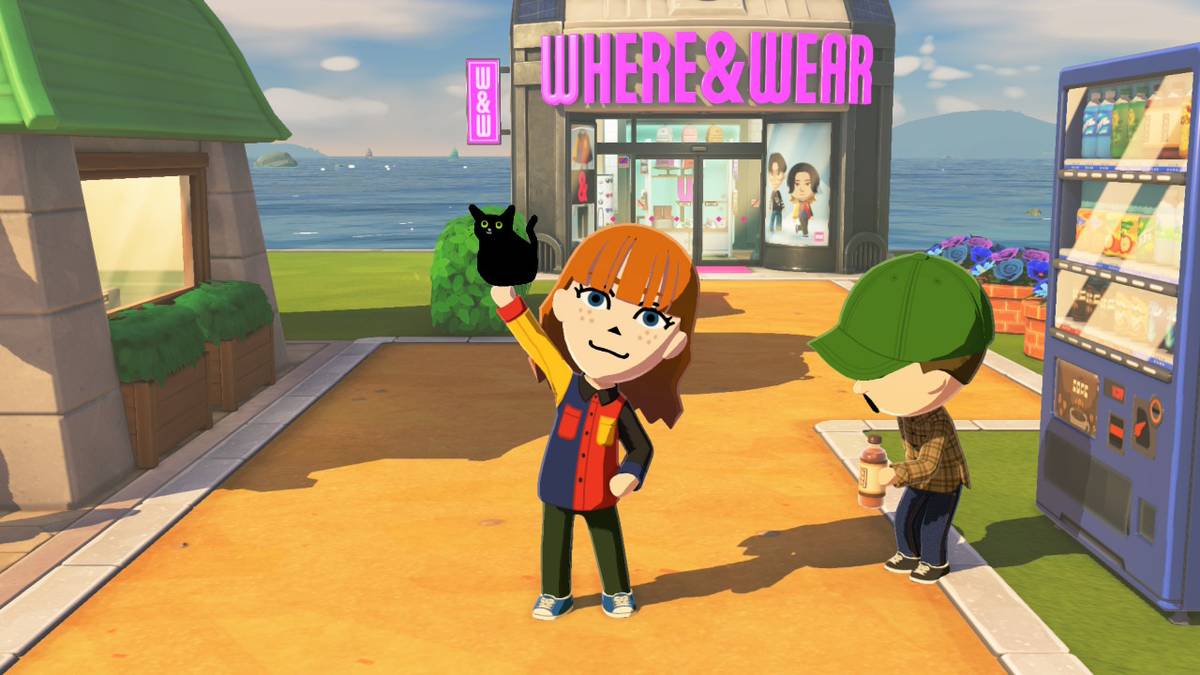
Tomodachi Life: Living the Dream has some very interesting limitations on sharing screenshots, meaning that you can’t use the built-in feature that would usually allow you to share images to your phone easily. There is a workaround to share high-quality images, if you don’t want to take a photo of your TV or Nintendo Switch screen.

If you have a capture card hooked up to a computer, you can just take screenshots of the display, but if you don’t have that, you can also manually upload your screenshots using things you probably already have. It takes a little bit more work, but it’s worth it to get clear screenshots of your silly game experiences. That being said, you should still use the Share button to snap any funny moments you run into. (And as a reminder, holding down the Share button will save the last 30 seconds of gameplay as a clip!)

Below, we explain how to share high-quality screenshots and videos from Tomodachi Life: Living the Dream.


How to share screenshots and videos from Tomodachi Life: Living the Dream

There are two manual ways to share screenshots from Tomodachi Life: Living the Dream. You can use a USB-C cable plugged straight into a computer or laptop, or you can use a microSD card reader, the former you’re more likely to have readily available, since most smartphones use these cables as chargers. The specific cable you may need depends on what computer or laptop you’re using. For example, all modern MacBooks will need a USB-C to USB-C cable, unless you have a separate USB hub for it. Most Windows laptops and PCs can use USB-C to USB-A, as they still have the rectangular-shaped USB ports.

Before you move over your videos or screenshots, remember that you can trim down your videos using the Nintendo Switch’s built-in media viewer. Trim down those clips before you ship them off to avoid having to do it later.

To get your screenshots using a USB-C cable:

  1. Plug the USB-C end of the cable into the bottom port of your Nintendo Switch or Nintendo Switch 2.
  2. Plug the other end of the cable into your computer or laptop.
  3. Open the system settings on your Switch.
  4. Select “data management,” scroll down, and select “manage screenshots and videos.”
  5. Scroll down again and select “copy to PC over USB.” Your computer should now pick up your Switch and you should be able to access the files on it the way you would a USB drive.
  6. Copy the screenshots and video from the Tomodachi Life: Living the Dream folder and paste them wherever to save them.
  7. Select “disconnect” on your Switch once you’re finished.

To get your screenshots using a microSD card reader:

  1. Turn your Nintendo Switch/Nintendo Switch 2 off completely.
  2. Pull the microSD card out of the back slot. (As a reminder, your microSD card is behind the kickstand.)
  3. Insert the microSD card into your SD card reader, and then insert the reader into whatever you’re uploading the photos to.
  4. Your screenshots will be nestled in a bunch of folders: Nintendo > Album > (Year) > (Month number) > (Date). Copy and paste the files you want to move to a safe place.
  5. Make sure to safely remove the SD card reader by ejecting it properly to ensure no data is lost.

This being said, you can, of course, still share photos and videos the old-fashioned way: taking blurry photos of your screen using your phone. There’s a certain charm about seeing everyone’s silly Miis interact via low-quality phone pictures.

Share. Facebook Twitter Pinterest LinkedIn Reddit WhatsApp Telegram Email

Related Articles

12-year-old describes chaos on stalled Adventureland coaster: ‘Snapping, crying, screaming’

12-year-old describes chaos on stalled Adventureland coaster: ‘Snapping, crying, screaming’

Lifestyle 21 June 2026
Valorant’s new Season 2026 Act 4 map and mode make me want to play it again

Valorant’s new Season 2026 Act 4 map and mode make me want to play it again

Lifestyle 21 June 2026

Serena Williams to Make Singles Comeback at Wimbledon

Lifestyle 21 June 2026
Embracing my ‘dad bod’ has made me a better father | Canada Voices

Embracing my ‘dad bod’ has made me a better father | Canada Voices

Lifestyle 21 June 2026
21st Jun: Strategist KANBE (2014), 50 Episodes [TV-14] (6/10)

21st Jun: Strategist KANBE (2014), 50 Episodes [TV-14] (6/10)

Lifestyle 21 June 2026
AI safety advocates say bill a good ‘first step’ on regulation, but more needed

AI safety advocates say bill a good ‘first step’ on regulation, but more needed

Lifestyle 21 June 2026
Top Articles
Grace Gummer, Meryl Streep’s Daughter, Owns the Red Carpet After Haunting Portrayal of Caroline Kennedy

Grace Gummer, Meryl Streep’s Daughter, Owns the Red Carpet After Haunting Portrayal of Caroline Kennedy

15 April 2026240 Views
Canadians aren’t taking their paid vacation days. Can burnout be far behind? | Canada Voices

Canadians aren’t taking their paid vacation days. Can burnout be far behind? | Canada Voices

2 June 2026191 Views
Does alcohol make you sleep better or worse? | Canada Voices

Does alcohol make you sleep better or worse? | Canada Voices

25 May 2026112 Views
Canada’s ‘most beautiful’ university campuses were revealed and so many are by water

Canada’s ‘most beautiful’ university campuses were revealed and so many are by water

15 April 2026109 Views
Demo
Don't Miss
21st Jun: Strategist KANBE (2014), 50 Episodes [TV-14] (6/10)
Lifestyle 21 June 2026

21st Jun: Strategist KANBE (2014), 50 Episodes [TV-14] (6/10)

Ingenious military strategist Kanbe Kuroda serves three of Japan’s most famous warlords and helps unite…

AI safety advocates say bill a good ‘first step’ on regulation, but more needed

AI safety advocates say bill a good ‘first step’ on regulation, but more needed

Pokémon show’s first poster gives A Knight of the Seven Kingdoms vibes

Pokémon show’s first poster gives A Knight of the Seven Kingdoms vibes

Jennifer Coolidge Reveals Surprising 'Legally Blonde' Audition Mix-Up

About Us
About Us

Canadian Reviews is your one-stop website for the latest Canadian trends and things to do, follow us now to get the news that matters to you.

Facebook X (Twitter) Pinterest YouTube WhatsApp
Our Picks
12-year-old describes chaos on stalled Adventureland coaster: ‘Snapping, crying, screaming’

12-year-old describes chaos on stalled Adventureland coaster: ‘Snapping, crying, screaming’

Valorant’s new Season 2026 Act 4 map and mode make me want to play it again

Valorant’s new Season 2026 Act 4 map and mode make me want to play it again

Once more unto the park! Much Ado About Nothing celebrates the homecoming of the Freewill Shakespeare Festival, a review

Once more unto the park! Much Ado About Nothing celebrates the homecoming of the Freewill Shakespeare Festival, a review

Most Popular
Why You Should Consider Investing with IC Markets

Why You Should Consider Investing with IC Markets

28 April 202433 Views
OANDA Review – Low costs and no deposit requirements

OANDA Review – Low costs and no deposit requirements

28 April 2024371 Views
LearnToTrade: A Comprehensive Look at the Controversial Trading School

LearnToTrade: A Comprehensive Look at the Controversial Trading School

28 April 202493 Views
© 2026 ThemeSphere. Designed by ThemeSphere.
  • Privacy Policy
  • Terms of use
  • Advertise
  • Contact us

Type above and press Enter to search. Press Esc to cancel.